
Blue Light Card has no customer service phone number, so you contact them through the Submit a request form in the online Help Centre while logged in. The team works Monday to Friday, 09:00 to 17:00, and most tickets get a reply within 48 hours.
BlueLightGuide is an independent site and not part of Blue Light Card. We can’t access your account, but this page shows exactly how to reach the team that can.
Most account problems, like password resets and locked accounts, fix themselves without contacting anyone. The quick fixes are below.
The old Blue Light Card contact email address no longer reaches anyone. Many intranets and blogs still list it, and messages sent there disappear without a bounce.
- Hours: Monday to Friday, 09:00 to 17:00, excluding bank holidays.
- Replies: most tickets within 48 hours, complex cases longer.
- No phone line: everything goes through the Help Centre while logged in.
How to Contact Blue Light Card
The Blue Light Card Help Centre is the only official support channel. It’s also a searchable library of answers.
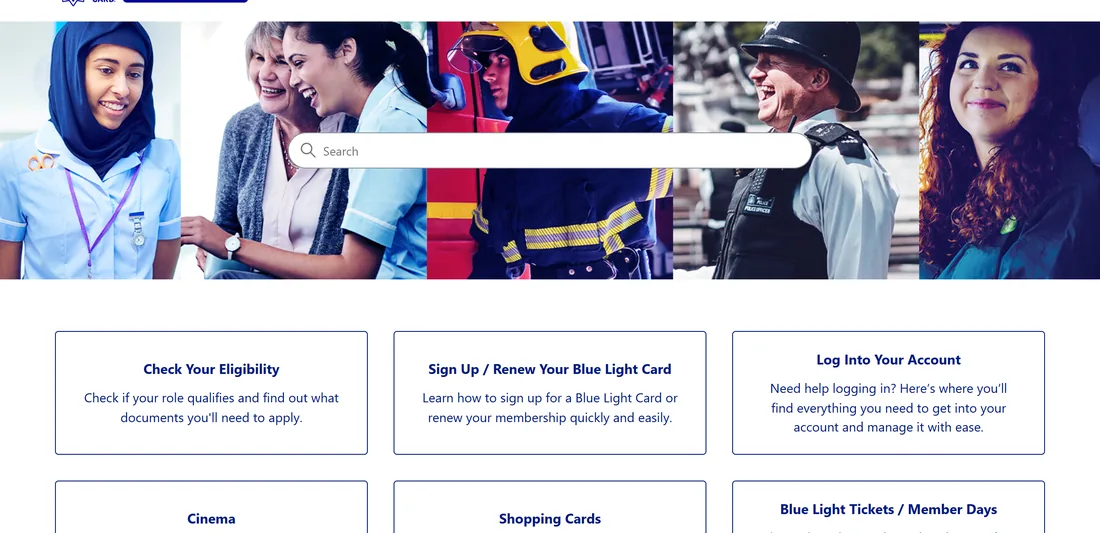
Answers are grouped by topic, so browsing is often quicker than searching.
- Logging in
- My Account and Card
- Offers and discounts
- Shopping Cards
- Sign up and renewals
- Blue Light Tickets and Member Days
- Payments and refunds
Most issues can be fixed from the Help Centre without a ticket, which gets you back to using the card faster.
Contacting the Support Team
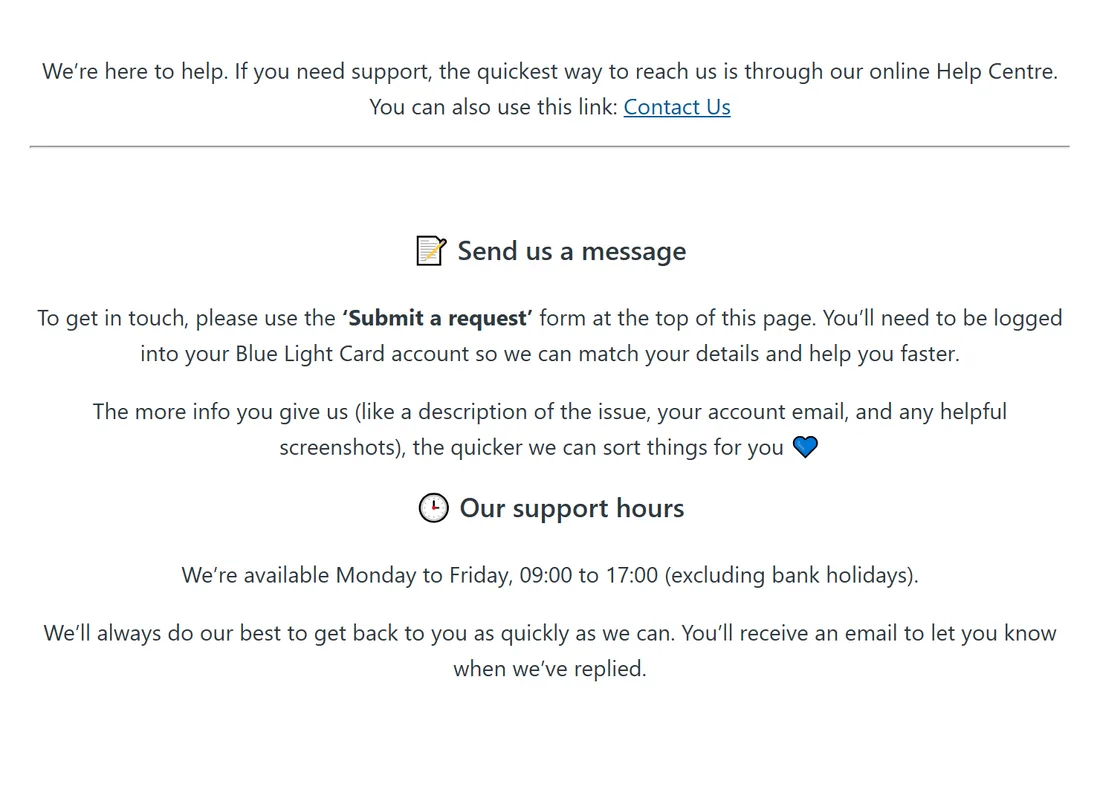
Log in before you get in touch. Blue Light Card matches your request to your account, and logged-out requests take much longer.
- Log in to your Blue Light Card account.
- Open the How to Contact Us page in the Help Centre.
- Use the Submit a request form at the top of the page.
- Watch your email for the reply.
Live chat is sometimes offered inside the Help Centre during office hours, but not always.
Have your registered email, membership number and screenshots ready. Much of the back-and-forth on tickets is the team asking for details you could have sent first time.
How to Submit a Support Ticket
You can raise a ticket at any time, but the team only works on them on weekdays. A Friday evening ticket usually gets looked at on Monday.
Most tickets get a reply within 48 hours. Verification, renewal and payment problems usually take 3 to 5 working days.
Put these in your first message.
- What happened and what you expected
- Your registered email address
- Any error messages or screenshots
- The retailer, order reference or offer name for discount problems
First replies may be automated. If the reply hasn’t read your problem, answer on the same ticket rather than opening a new one, which puts you back at the end of the queue.
Blue Light Card Login Problems
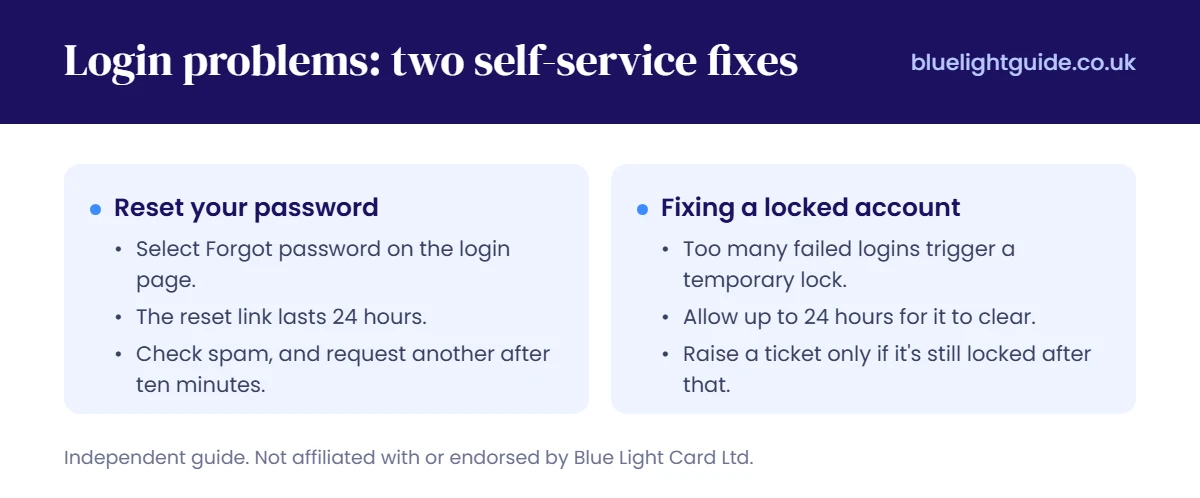
Login problems are the most common reason people contact support, and both main ones have a self-service fix.
Reset Your Password
On the login page, select Forgot password. A reset link goes to your registered email and lasts 24 hours.
Check spam if it hasn’t arrived, and request another after ten minutes. If nothing comes, your account is probably under a different email, often an old work address.
Fixing a Locked Account
Too many failed logins trigger a temporary lock. You can’t force it open early, so waiting is the fix.
- Allow up to 24 hours for the lock to clear.
- Have your membership number, postcode and card details ready.
- Raise a ticket only if it’s still locked after that.
Account recovery slows down in busy periods, and 2 to 3 working days is realistic then. Sign-up surges after a new profession joins are the usual cause.
How to Renew Your Blue Light Card
Blue Light Card membership doesn’t renew automatically. You get an email about 30 days before it ends, and renewing online takes a couple of minutes.
- Log in on the website or app.
- Open Your Card and select Renew.
- Confirm your details and re-verify your job.
- Pay by card, Apple Pay or Google Pay.
Confirmation usually arrives within the hour, and the digital card works straight away. My advice is to renew before your old card expires, because the new physical card takes about a fortnight.
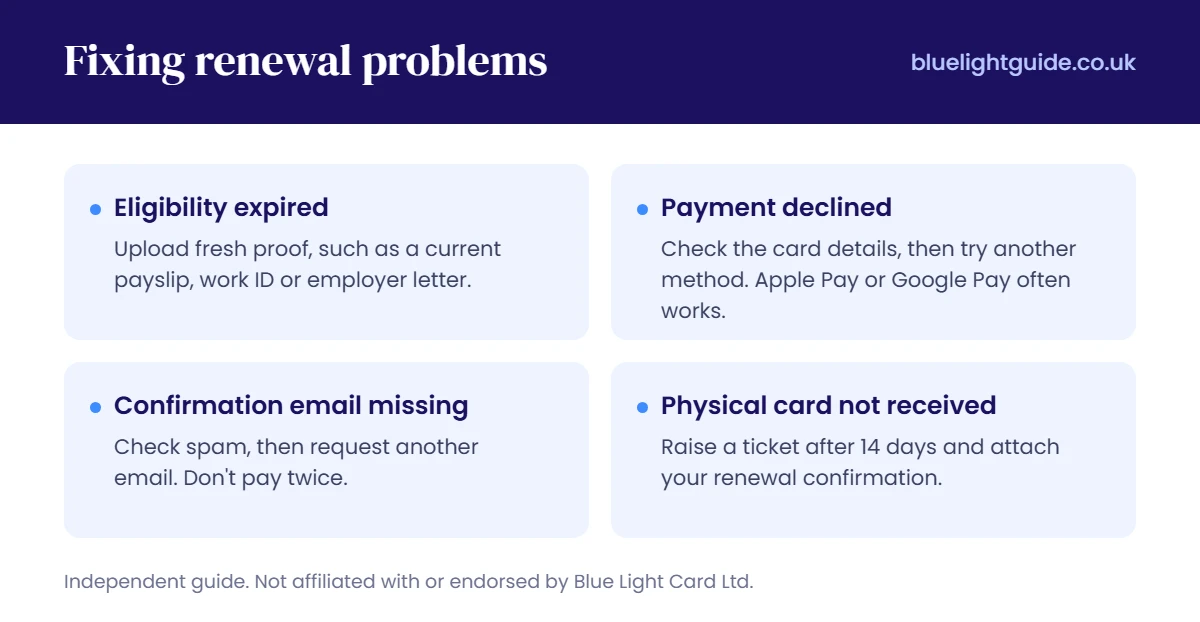
Fixing Renewal Problems
Eligibility Expired
Upload fresh proof, such as a current payslip, work ID or employer letter. If you’ve changed jobs, check your new role is on the list of qualifying professions before you pay.
Payment Declined
Check the card details, funds and CVV, then try another method. Apple Pay and Google Pay often work when a typed card number fails.
Confirmation Email Missing
Look in spam first, then request another email from your account settings. Don’t pay twice, because refunding a duplicate takes longer than waiting.
Physical Card Not Received
Raise a ticket after 14 days and attach your renewal confirmation. The digital card works everywhere in the meantime, and the application walkthrough covers what to expect from verification.
Service Seats and Cinema Vouchers
Service Seats, the old cinema voucher platform, has been replaced by the Cinema section of the Blue Light Card app.
Blue Light Card has flagged technical issues with Service Seats. If an old voucher isn’t working, the fault may be with the platform, not your account.
Vouchers you already bought are still valid. Blue Light Card’s guidance on the old platform says leftover codes carry over.
A cinema voucher isn’t a ticket. You buy the voucher at a discount, then use it on the cinema’s own booking, and some chains add a booking fee.
Vouchers are non-refundable, even if your plans change. If the cinema cancels, keep the cancellation email so you can ask for a replacement code.
Member Days are booked through the attraction, not Blue Light Card. That means the attraction’s terms and refund rules apply.
Member Day tickets can’t be transferred, are only valid on the date shown, and need your card plus another ID at the gate. The Blue Light Tickets and Member Days breakdown explains how events work.

Blue Light Card vs the Blue Light Card Foundation
Blue Light Card and the Blue Light Card Foundation are separate organisations. Sending your query to the wrong one wastes a week.
| Contact | For |
|---|---|
| Blue Light Card | Membership, renewals, logins, retailer discounts, Shopping Cards, payments and refunds |
| Blue Light Card Foundation | Charitable grants, hardship funding and wellbeing support for emergency service workers and their families |

The Foundation can’t fix a login, and Blue Light Card can’t award a grant. If money is the problem rather than the card, contact the Foundation.
Which Problems Get Fixed Fastest
Password resets, locked accounts and missing emails almost never need a person. All three fix themselves with time, and a ticket only adds waiting.
Payment and duplicate charge problems should be raised straight away, with evidence. They rarely fix themselves.
A discount refused in store is the slowest to resolve, because Blue Light Card has to contact the retailer. Pay full price on the day and raise it afterwards.
The lack of a phone line gets criticised, but I think it’s a fair trade. A midnight ticket is logged instantly, while a small phone team for six million members would mean long hold queues.
Response times stretch around renewals and new partner launches, so check the Help Centre for notices first. Live offers are in the full discounts list.


I find BLC’s customer service to be non-existent. I have been trying for the last month to renew my card (now, annoyingly, expired). I have tried on two different computers and the app and still can’t see the “renew” link. I have raised a ticket, three times, and all I get back is an automated response telling me to log in to my account and follow the renew link. The link I can’t find anywhere.
I guess that’s me finished with Blue Light Card after just four years 🙁
Any suggestions?
Try the website rather than the app, in an incognito window with cache cleared, as a stale login session is the usual reason the renew link doesn’t show.
If the card has fully expired, the option often switches from Renew to just re-registering with your same email and details, which reactivates the account rather than charging you as new, so try a fresh application with your original email.
And since tickets aren’t getting you anywhere, DM them on Facebook or X, which reaches a real person far faster than the support queue.